2. Create a project
One of the preliminary activities to the use of the main features of the DataLabs platform is related to the creation of a project and it's foreseen to all user that login to the platform.
If you want to create a project, it's necessary to:
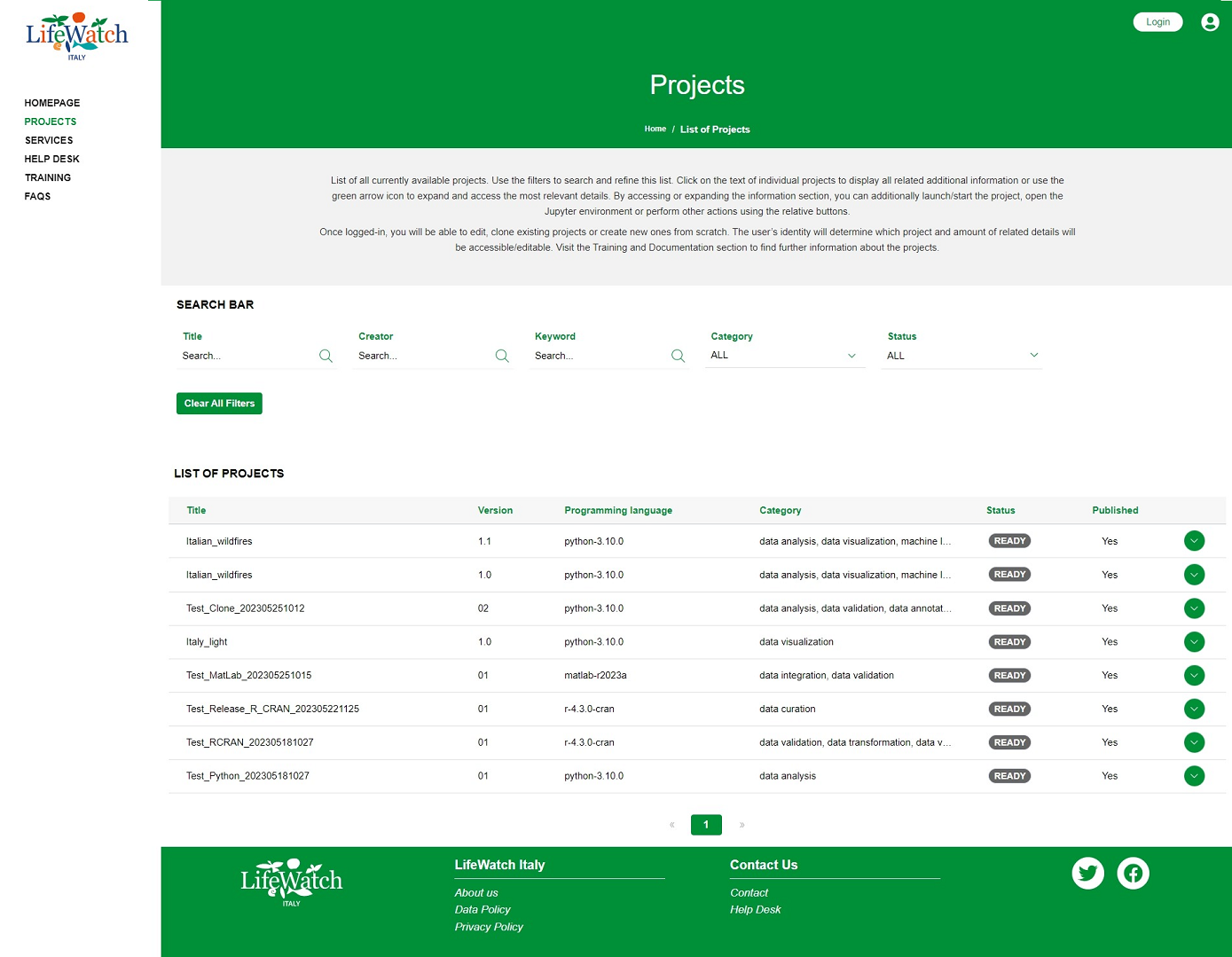
- select the Projects item on the menu, access to the Project dashboard
-
click on the Create Project button in the List of Project
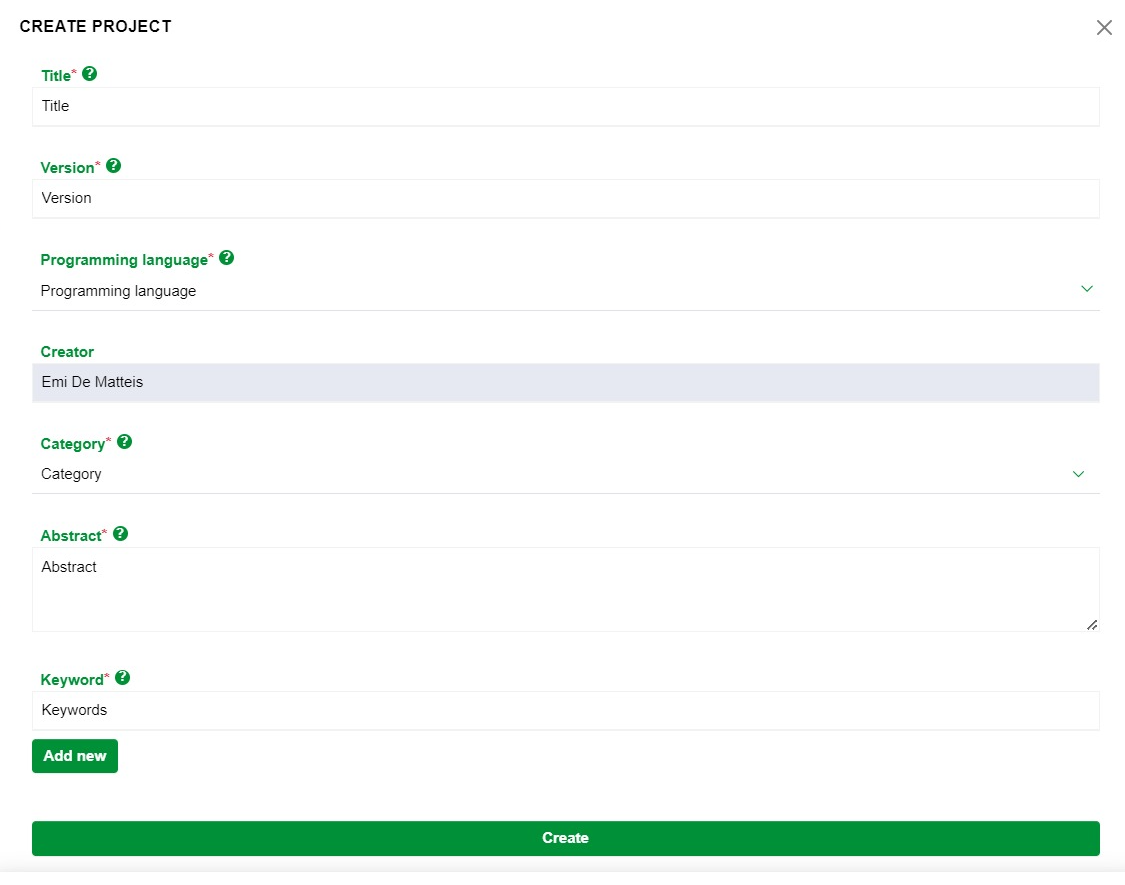
- then you need to complete the form entering the data of the new project that you are creating; in particular:
- Title: mandatory field that identifies the name assigned to the project
- Version: mandatory field that identifies the version assigned to the project
- Programming Language: mandatory field that includes the list of programming languages available and their versions
- Creator: pre-filled text field (not editable) with the name of the authenticated user that is creating the new project
- Category: mandatory multi-value field that requires the choice of one or more categories of membership for the project
- Abstract: mandatory text field to contain a brief description with the main characteristics of the project
-
Keyword: mandatory text field to contain word(s) describing the project, very important for discoverability purposes
4. if data is not correctly inserted, the system shows a specific validation error for some fields; in particular for the Title field:
- the string must begin with at least one letter, from a to z, in uppercase or lowercase
- the string must have at least 2 characters
- the string must not have more than 40 characters
-
it is not allowed to enter:
- whitespaces
- special characters such as !@#$%^&*()+={}[]|\:;"'<,>.?/~`
- _ and - as last character
- it is allowed to enter:
- numeric characters
- _ and - (but not as a last character)
- the string must begin with at least one alphanumeric character, in uppercase or lowercase
- the string must have at least 2 characters
- the string must not have more than 20 characters
-
it is not allowed to enter:
- whitespaces
- special characters !@#$%^&*()+={}[]|\:;"'<,>?/~`
- _ - . consecutive and/or as last character
-
it is allowed to enter:
- numeric characters
- _ - . (but not consecutive and/or as last character)
for the Abstract field:
- the string must begin with alphanumeric character, in uppercase or lowercase
-
it is not allowed to enter as first character:
- whitespace
- special characters: !@#$%^&*()_+={}[]|\:;"'<,>.?/~`
for the Keyword field:
- the string must begin with alphanumeric character, in uppercase or lowercase
-
it is not allowed to enter as first character:
- whitespace
- special characters: !@#$%^&*()_+={}[]|\:;"'<,>.?/~`
then correct the data entered and when they are ok, click on Create.
5. after click, another error message can be shown if another project already exists with the same attributes relating to Title and Version; in this case it is sufficient to enter different values than what is already present and then click on Create.
At the end of the procedure the system generates:
- a new project (record), visible within the project dashboard as the last record with the highest progressive ID;
- a project on Gitlab environment based on the type of programming language and its version chosen;
- the provision of an integrated development environment with its resources;
- an email notification to Project Creator and Administrator to inform them of the event.