7. Publish the script
Aggregazione dei criteri
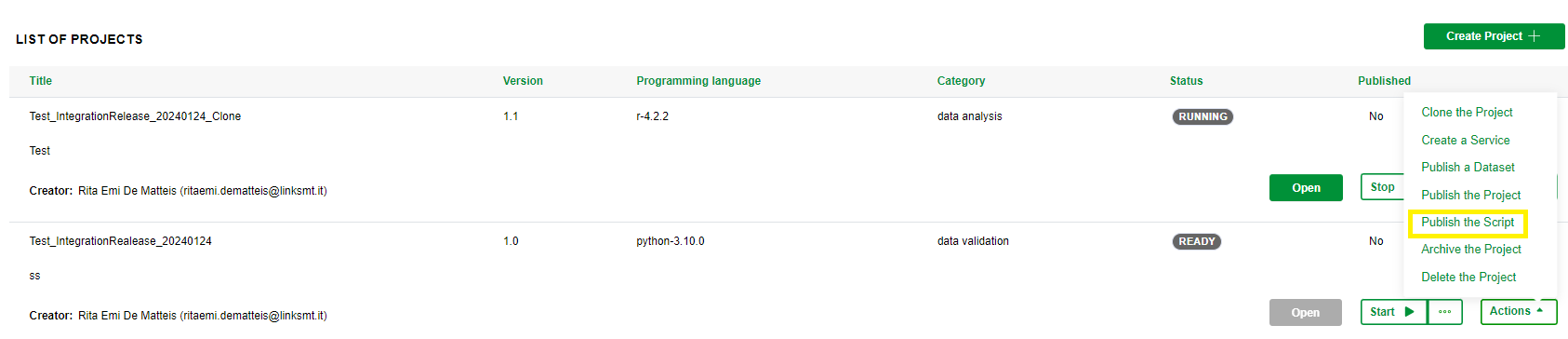
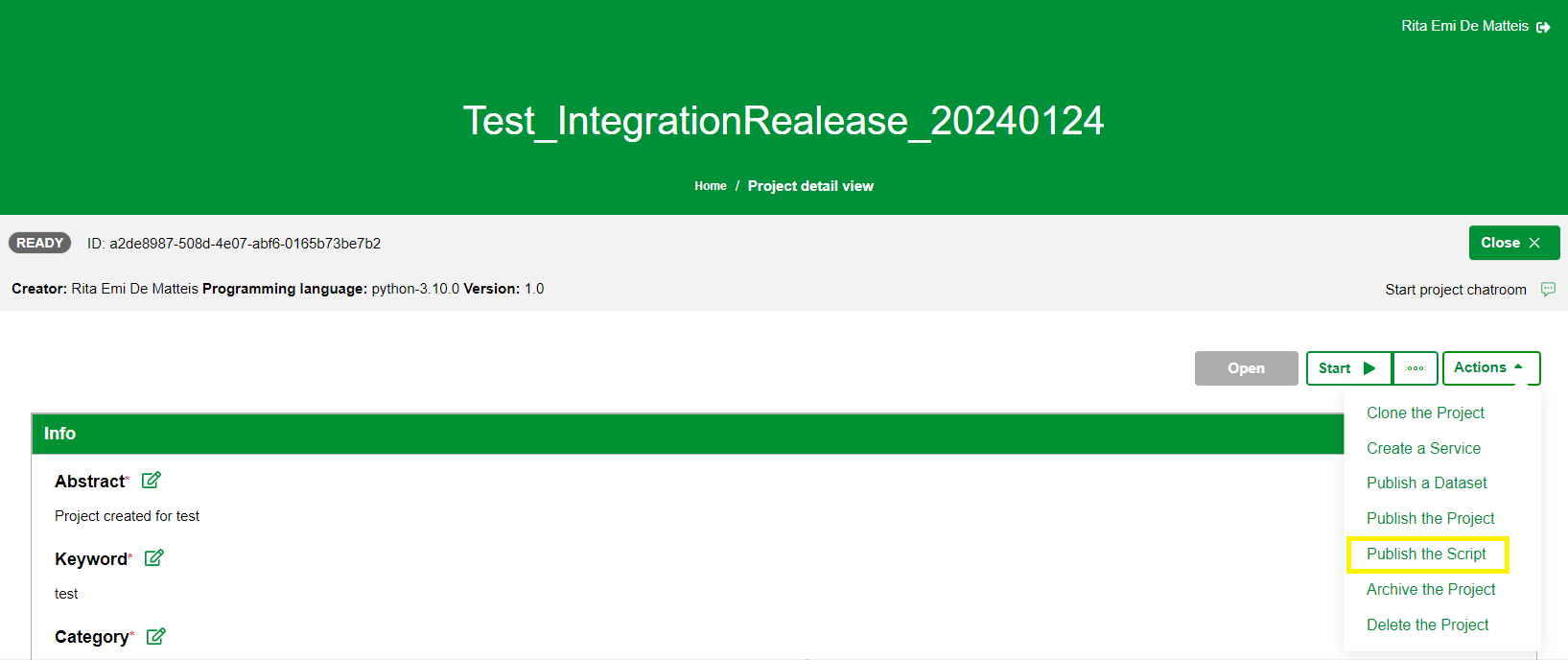
The application gives the Project creator the possibility to publish the script within the Metadata Catalogue. This functionality is available both from the Project Dashboard and from the Project Detail view. To publish a script, you need to:
1. click on Publish the Script item in the Actions menu in the Dashboard or in the Project details view as shown in the images below:
2. after the click, the system shows a wizard composed of three areas:
- the stepper located below the project information bar

- a description section (if foreseen)

- and the contents section that changed depending on the step
and structured in four steps:
- in the first step there is a summary of the main fields related to the project. To proceed click on Next button at the bottom right of the page
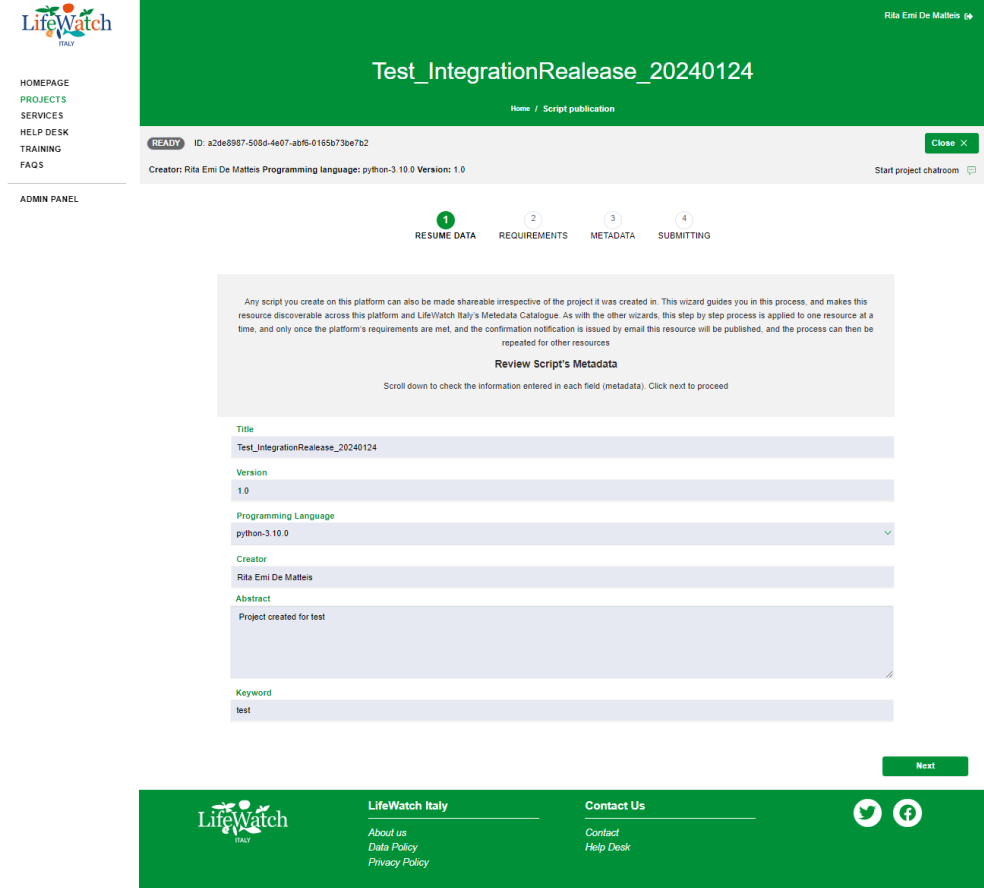
Please note: the information is not editable, to edit some fields you have to go back to the project detail view through the “x” icon that you find in the project information bar.
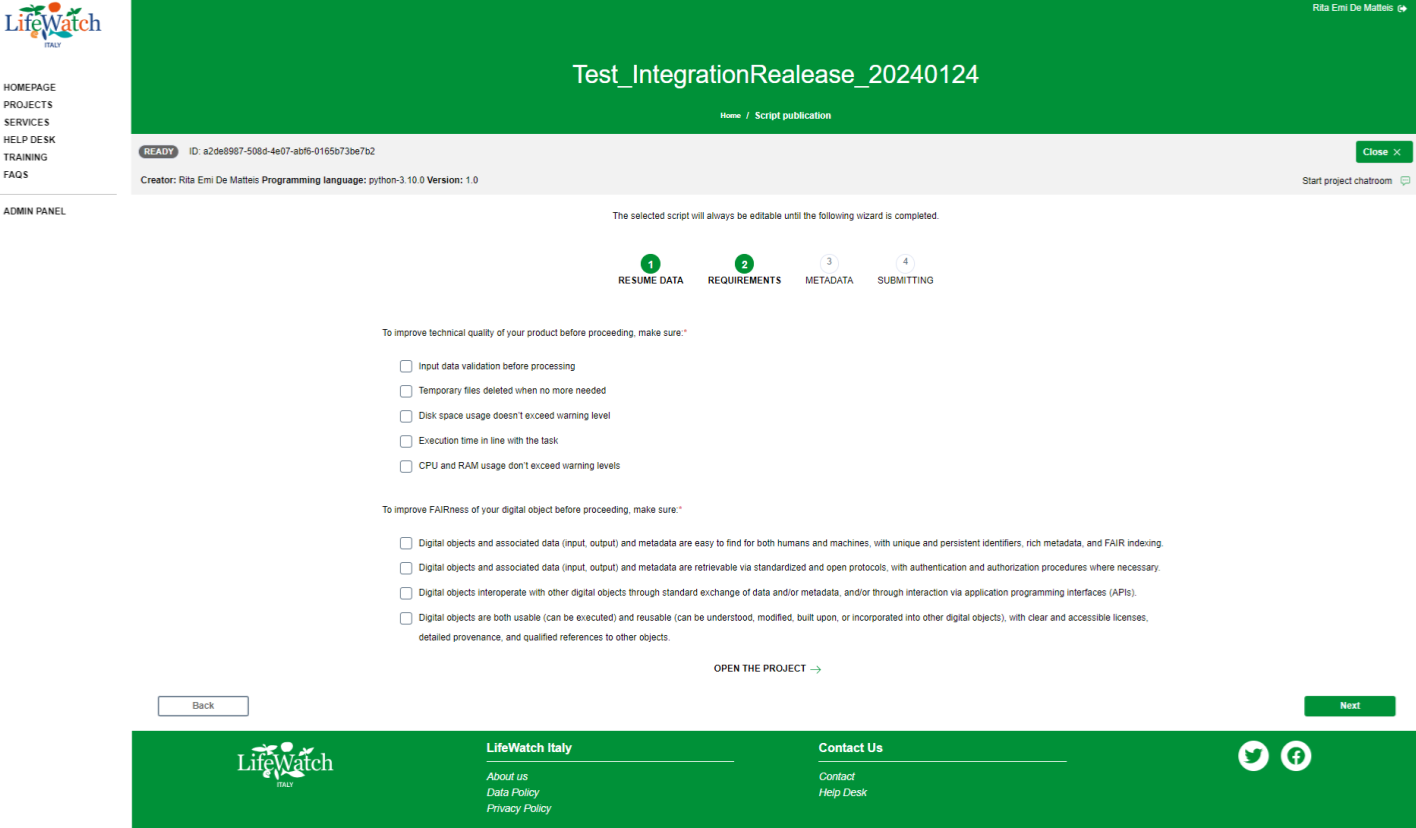
- in the second step there is a list of best practices and guidelines you need to make sure you have followed and adopted. If you have not followed one or more of the items listed, you can return to the project by clicking on Open the project at the end of the checklist; if you have applied and confirmed all the items listed, you can click on Finalize to proceed
- in the third step you have to fill in all the mandatory fields to proceed with the request of publication
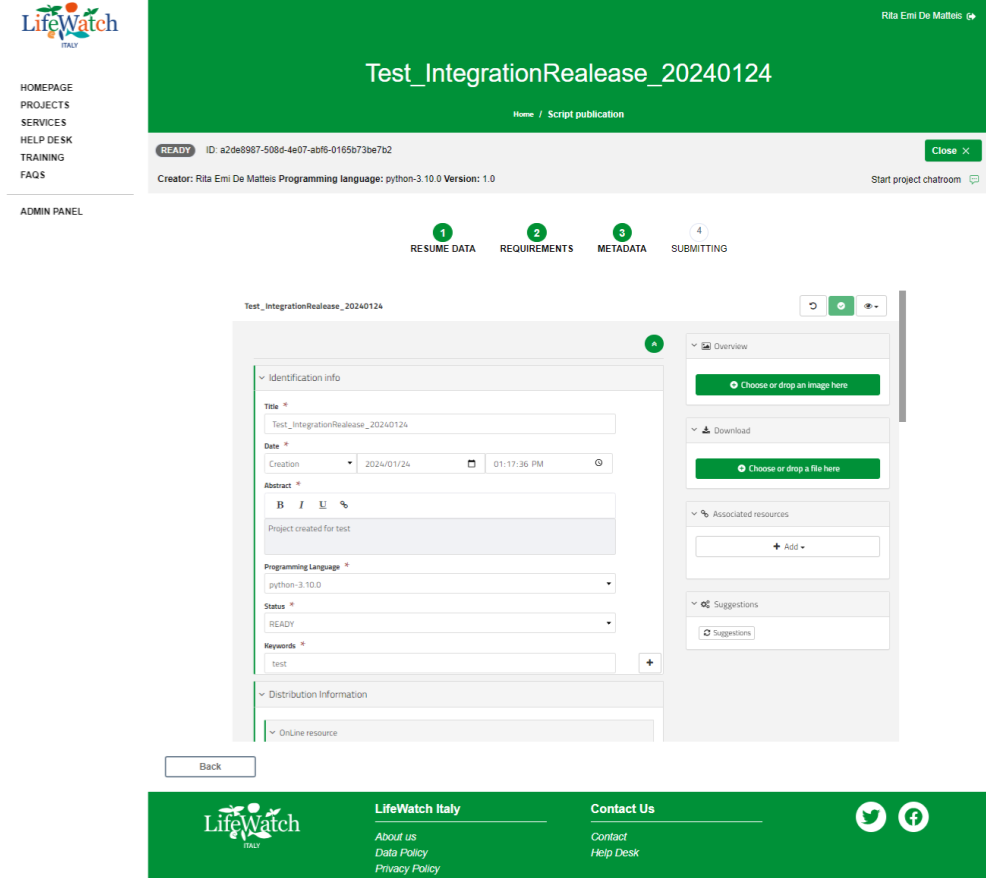
Please note: you need to have specific permissions in the Metadata Catalogue to be able to correctly perform this step.
- The final step confirms that the publication request has been successfully completed.
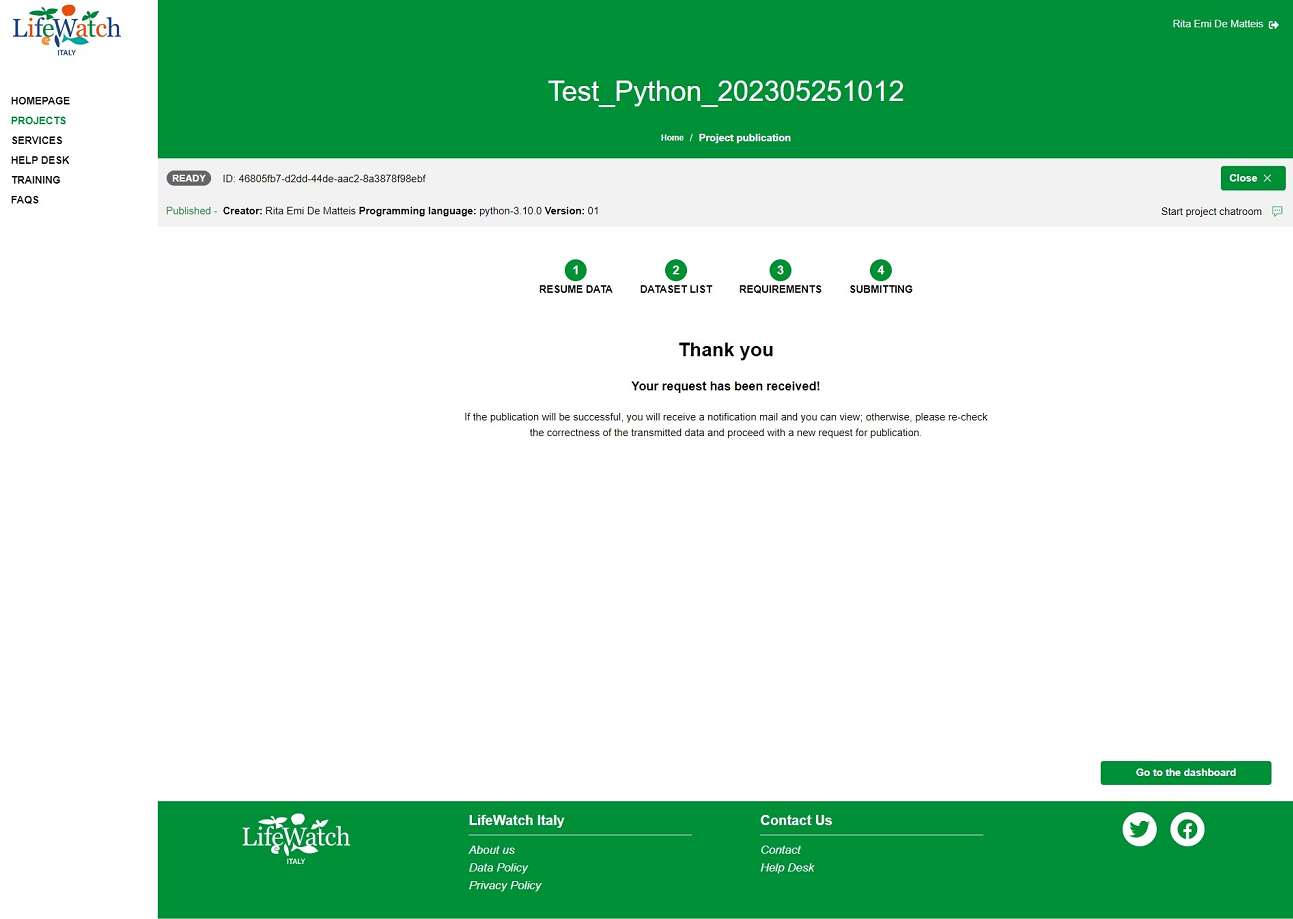
Please note:
- at the end of the publication process, you will receive an email notification;
- the publication of the script automatically implies the publication of the related project.