9. Delete the project
Completion requirements
The deletion feature is a task provided for all types of projects (whether published or not) and for users with Project creator and Administrator roles only; specifically, it is possible that:
- the Project creator can delete at any time its own projects
- an Administrator can delete at any time all the projects
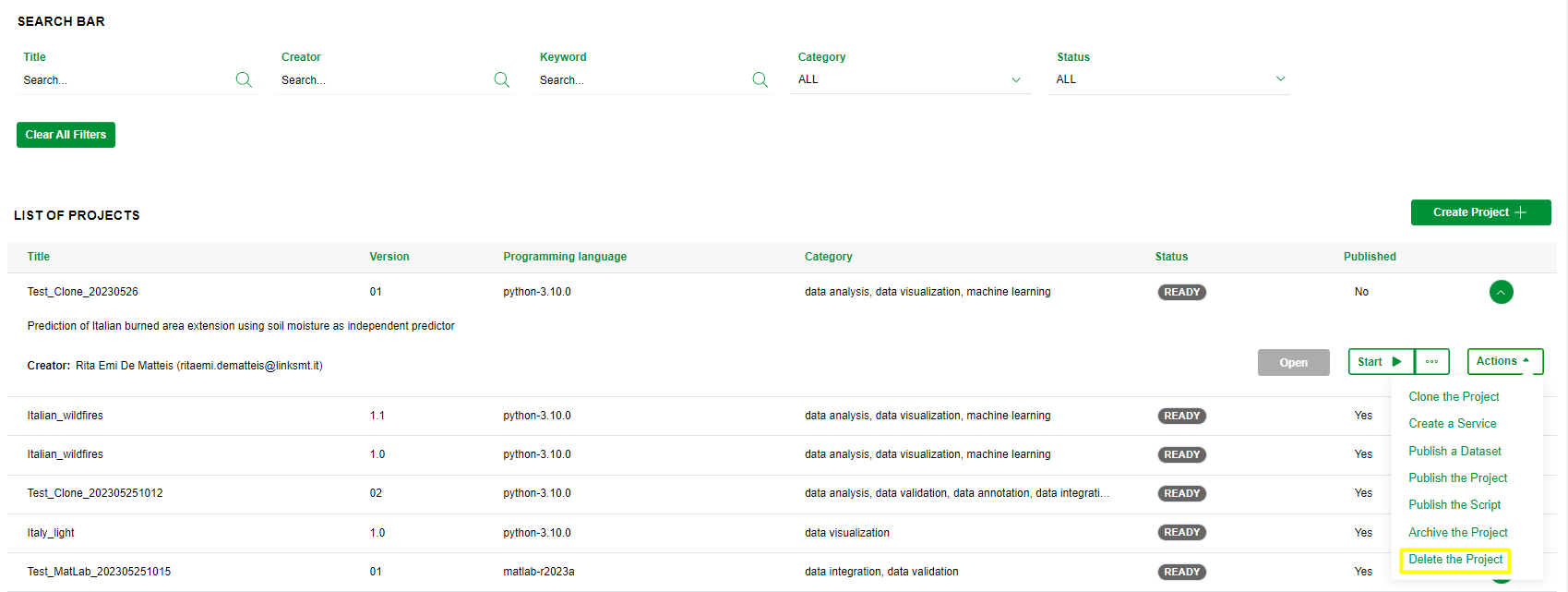
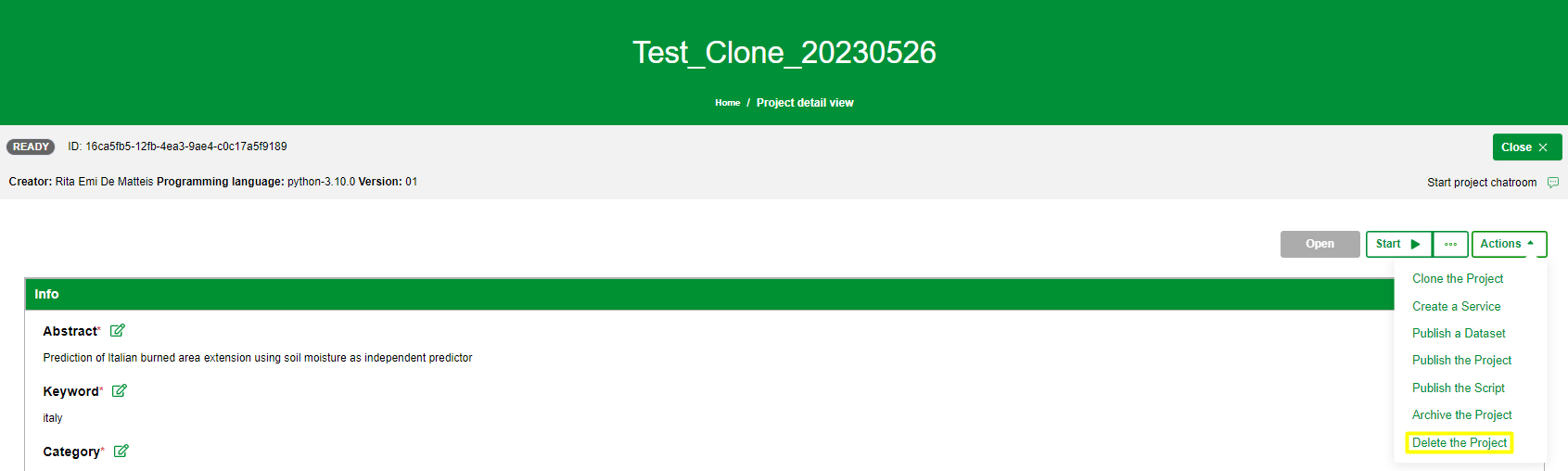
To delete a project you need to click on the Delete the project item on the Actions menu in the Dashboard or in the Project details view as shown in the images below:
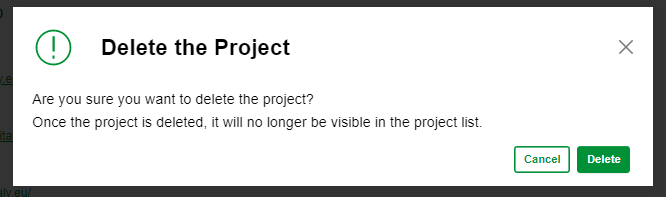
After the click, you have to confirm the request by clicking on Delete button in the popup:
Please note that the project deletion implies that:
- the project will be removed from the dashboard
- the project can not be searched
- if a service has been created, it will be deleted
- if IDE environment is running, it will be stopped
- any inputs uploaded will be deleted
- any logs and outputs generated will be deleted
- an email notification to Project Creator and Administrator to inform them of the event.