3. Use cases
Aggregazione dei criteri
3.3 New file creation
JupyterLab allows you to create many types of file:
You can create a new file through different ways:
- Notebook
- Script (according to selected technology)
- Text File
- Markdown File
Top bar menu: Click on File ->New. Select from the menu the File type you want to create (Figure 20):
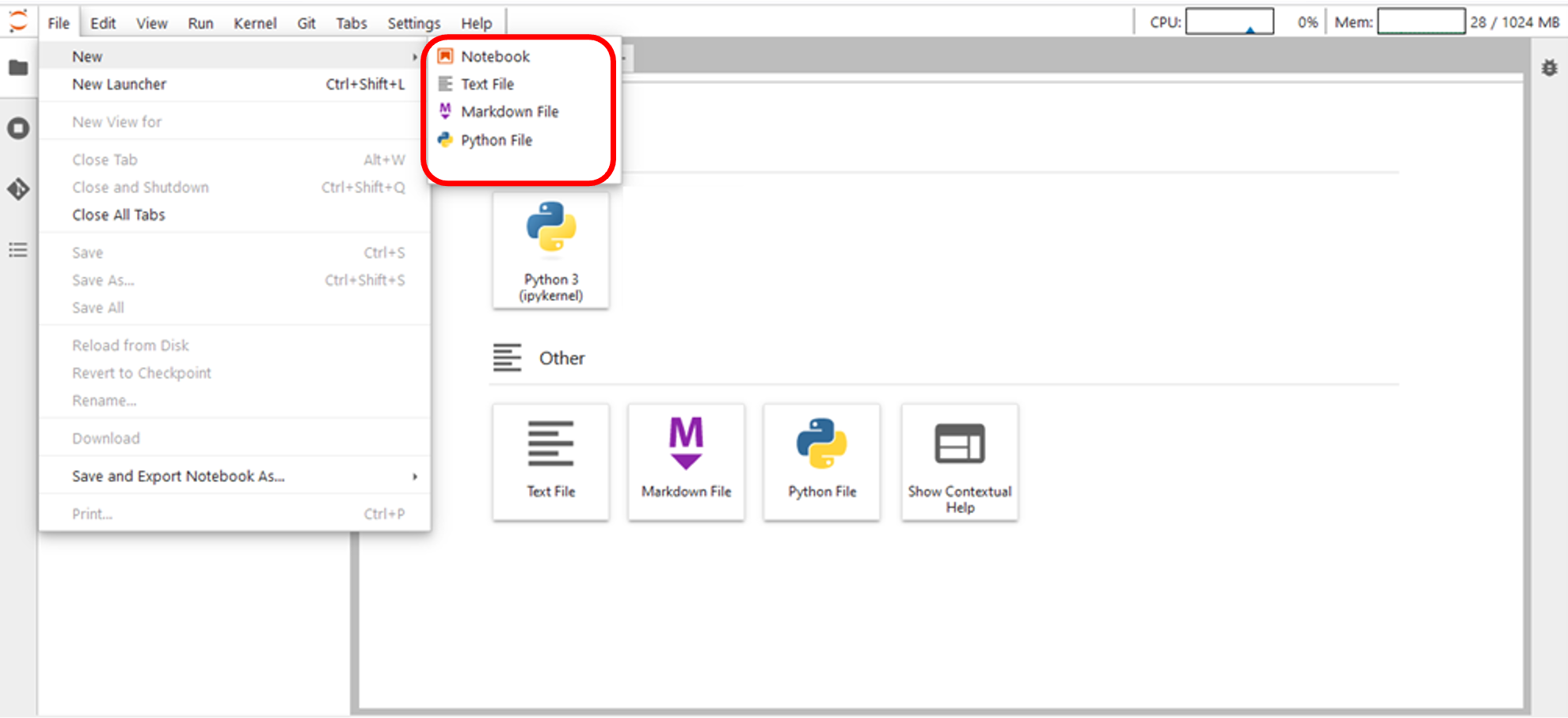
Figure 20 – New File creation – Top bar menu
Right-click on the Explorer Area to create a new Text File and a new Notebook (Figure 21).
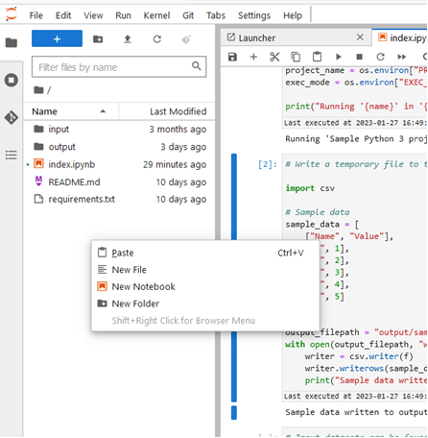
Figure 21 – New File creation – Explorer Area