3. Use cases
Aggregazione dei criteri
3.4 File upload
To upload file(s) you can:
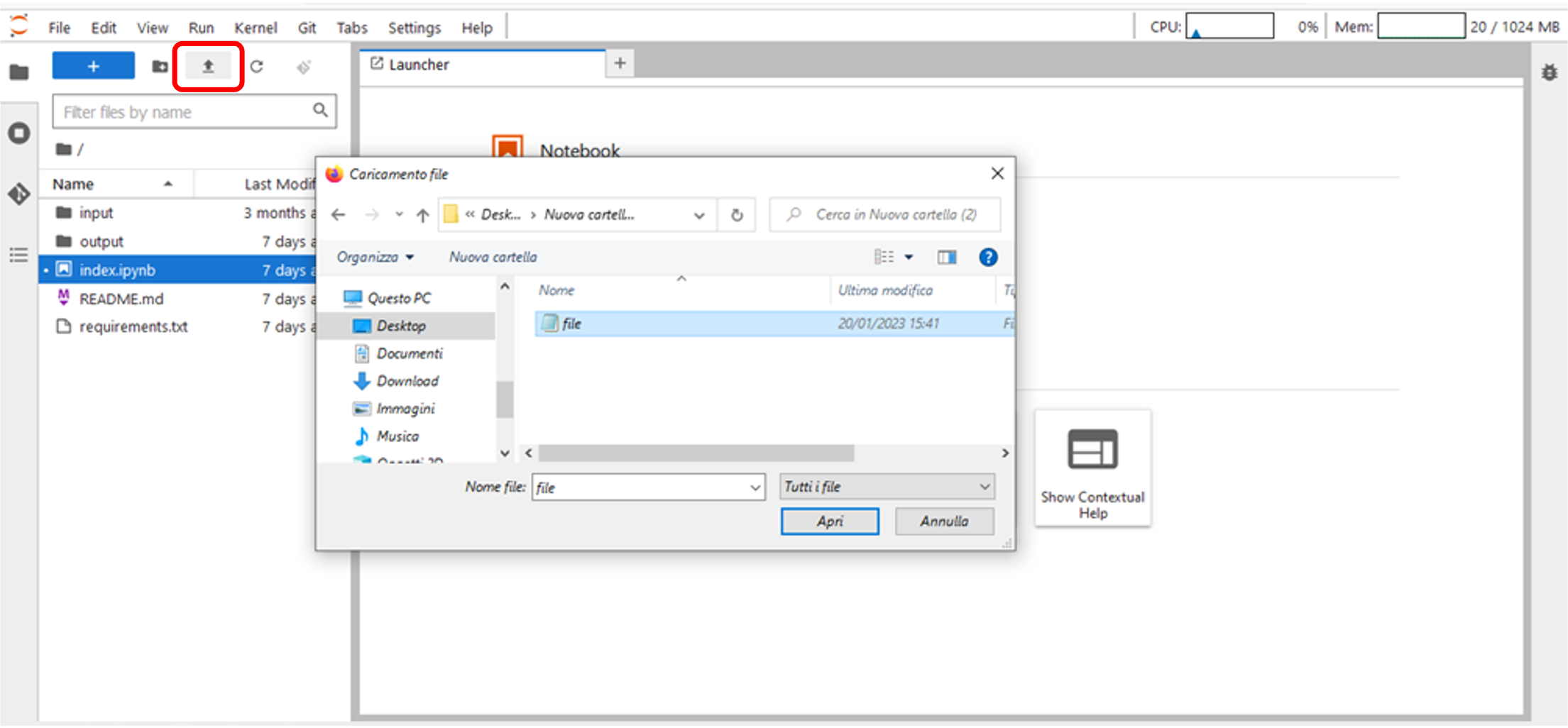
- Click on the “Upload Files” icon and select file(s) you want to upload (Figure 22).
Figure 22 – Upload files - button
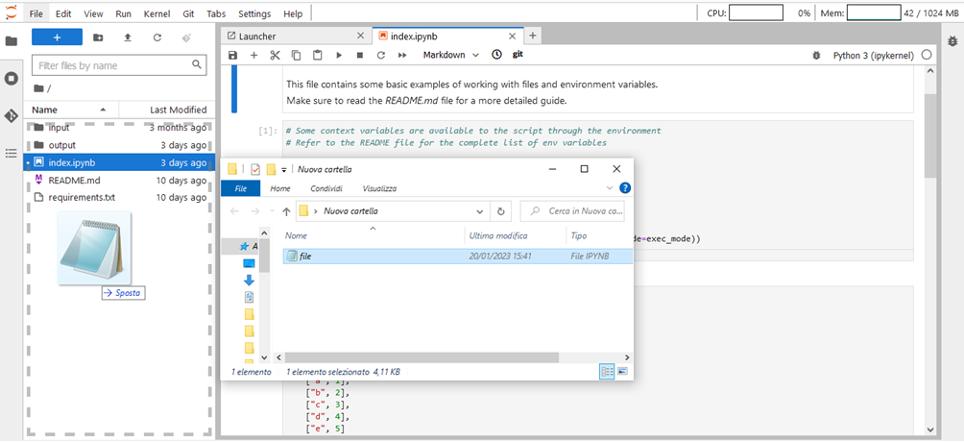
- Drag and drop in the Explorer Area the file(s) you want to upload (Figure 23)
Figure 23 – Upload files- drag and drop