3. Use cases
Aggregazione dei criteri
3.6 Cell deletion
You can delete a cell through different ways:
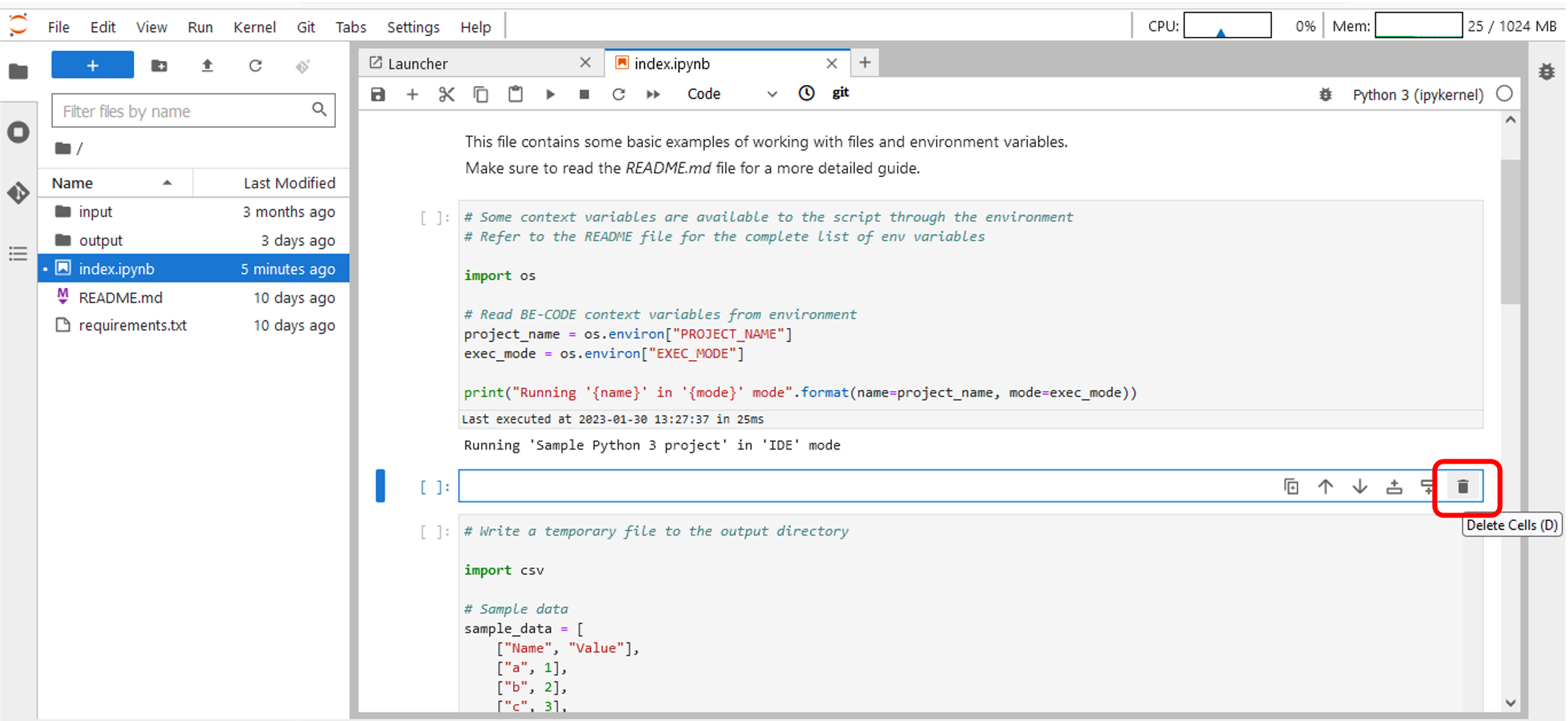
- Click on Delete Cells icon on the top right of the cell (Figure 26).
Figure 26 – Cell deletion – Notebook (1/2)
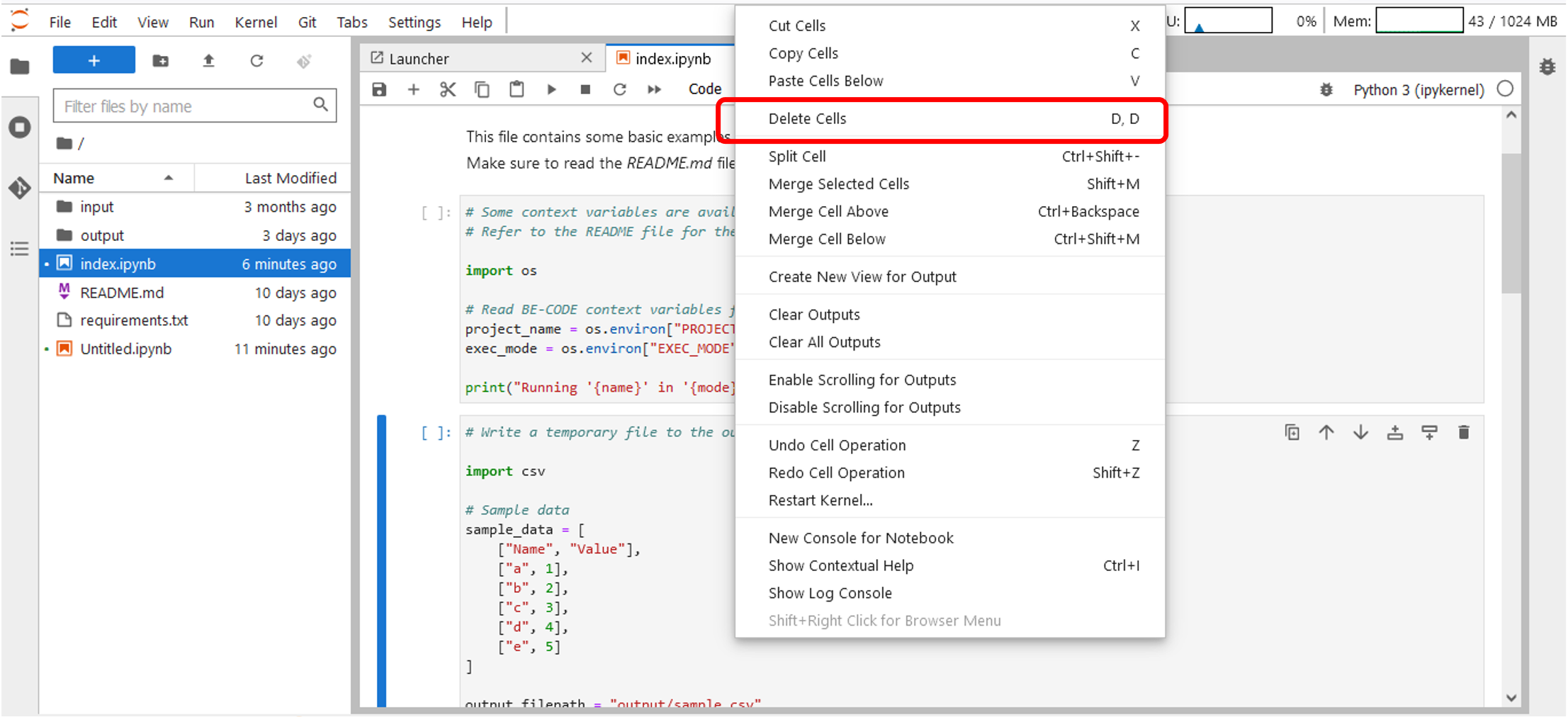
- Click the mouse right button into the cell and select Delete Cells (Figure 27).
Figure 27 – Cell deletion – Notebook (2/2)
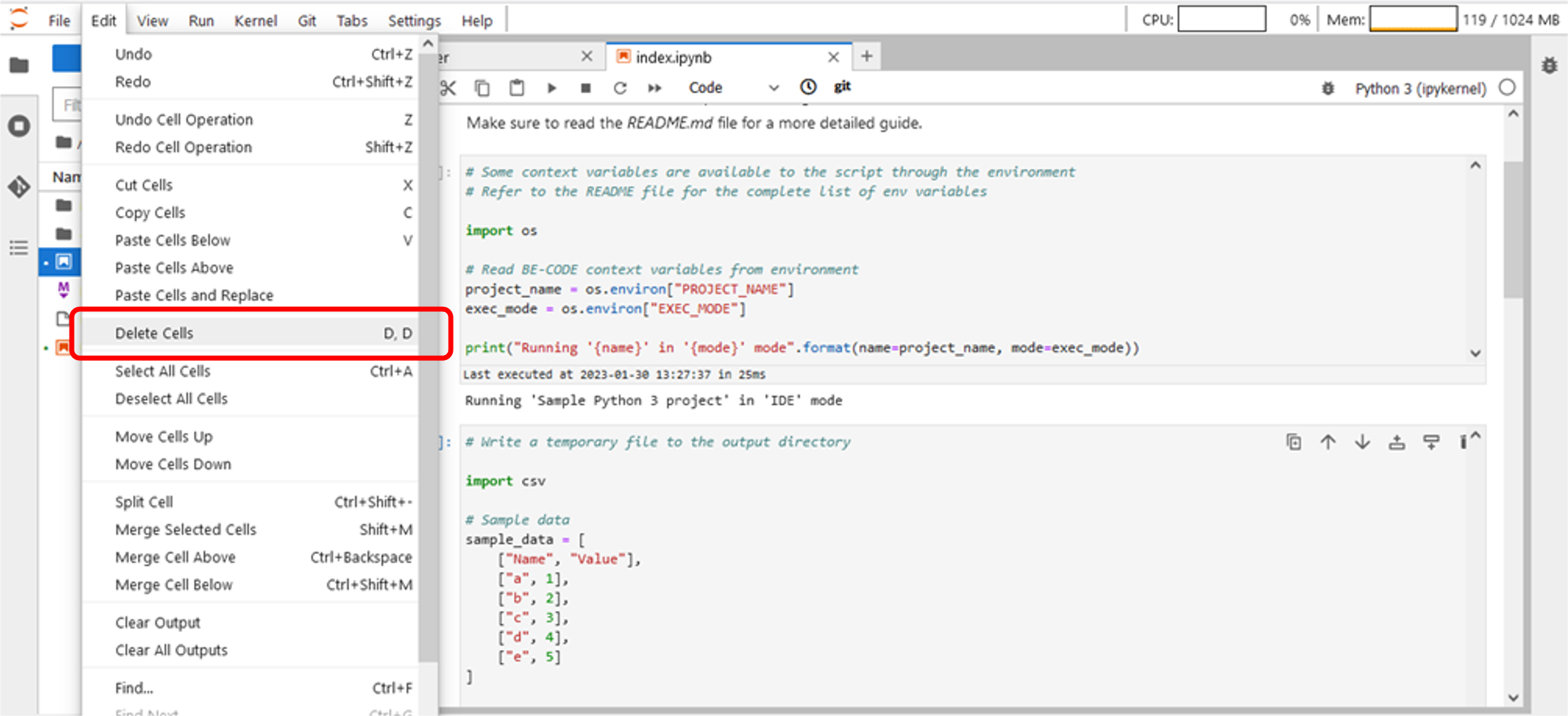
- Click on Edit->Delete Cells on the JupyterLab TopBar Menu (Figure 28).
Figure 28 – Celle deletion – JupyterLab TopBar Menu