3. Use cases
Aggregazione dei criteri
3.7 Single cell execution
To run single cell of the notebook
- Select cell and Click on Run button (Figure 29) in the Notebook Bar.
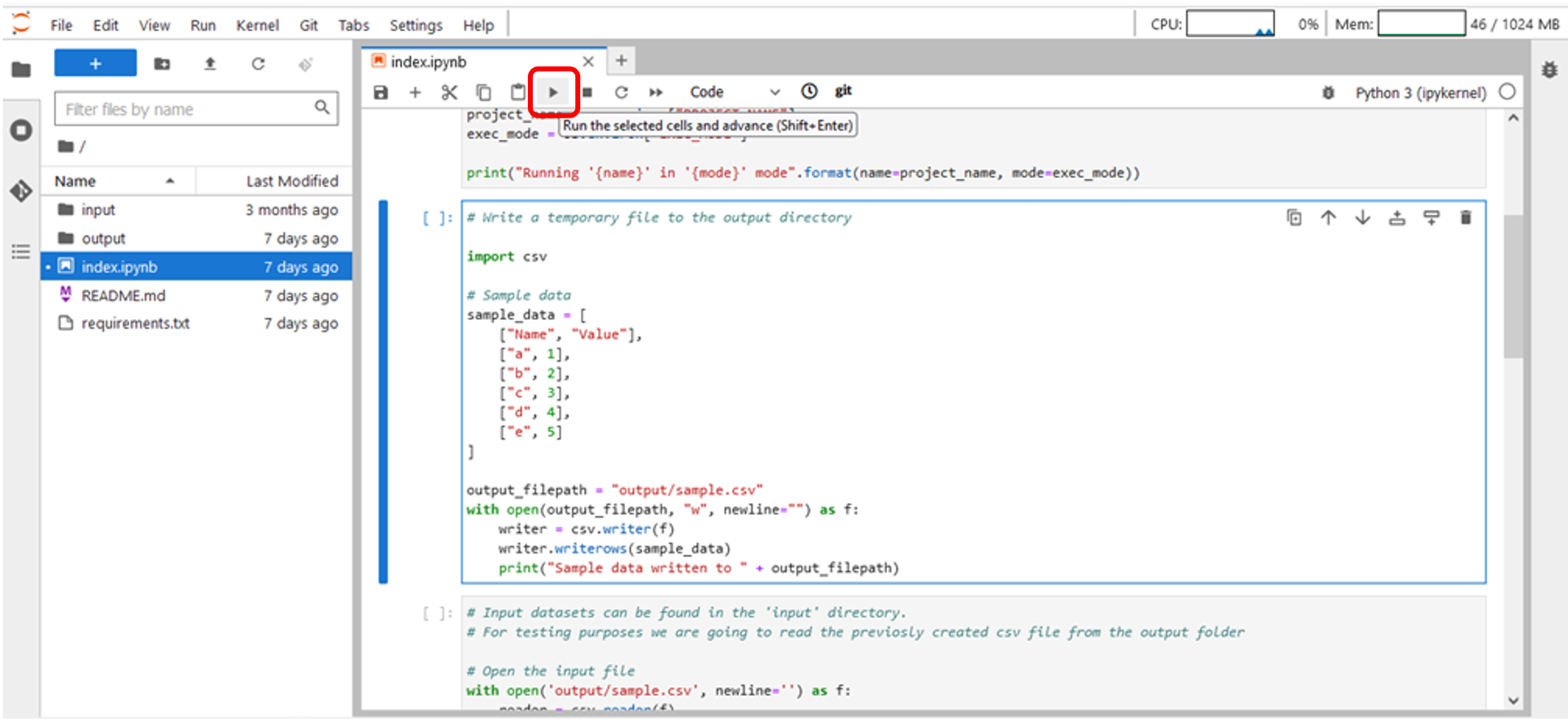
Figure 29 – Single cell execution – Notebook bar
- Select cell and Click on Run->Run Selected Cells on the JupyterLab TopBar (Figure 30).
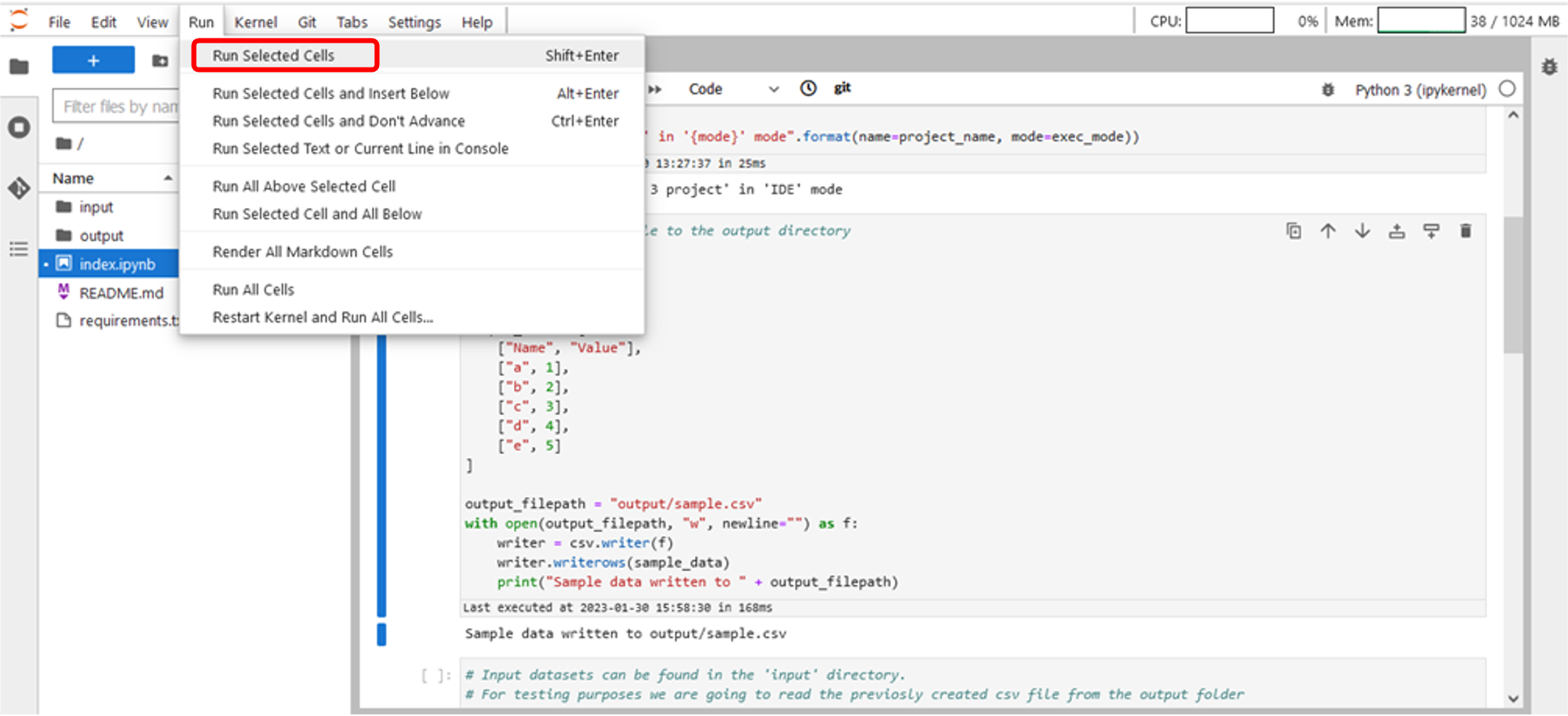
Figure 30 – Single cell execution – JupyterLab TopBar Menu
- After cell execution, system shows information about related execution time (Figure 31).
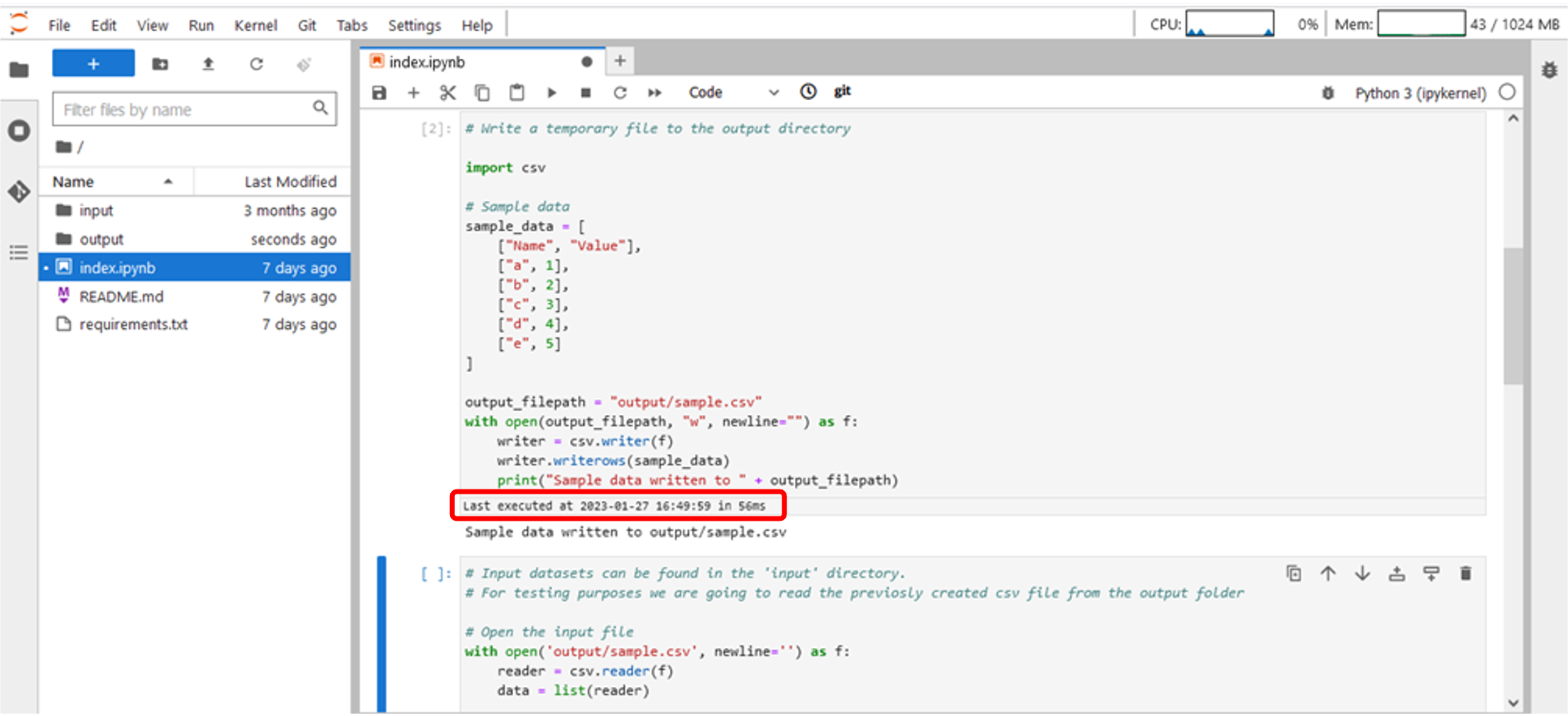
Figure 31 – Execution time