3. Use cases
Aggregazione dei criteri
3.11 File saving
A black circle in the upper area of the notebook tab (near file name) indicates unsaved changes. To save file you can:
- Click on Save button in Notebook Bar (Figure 36).
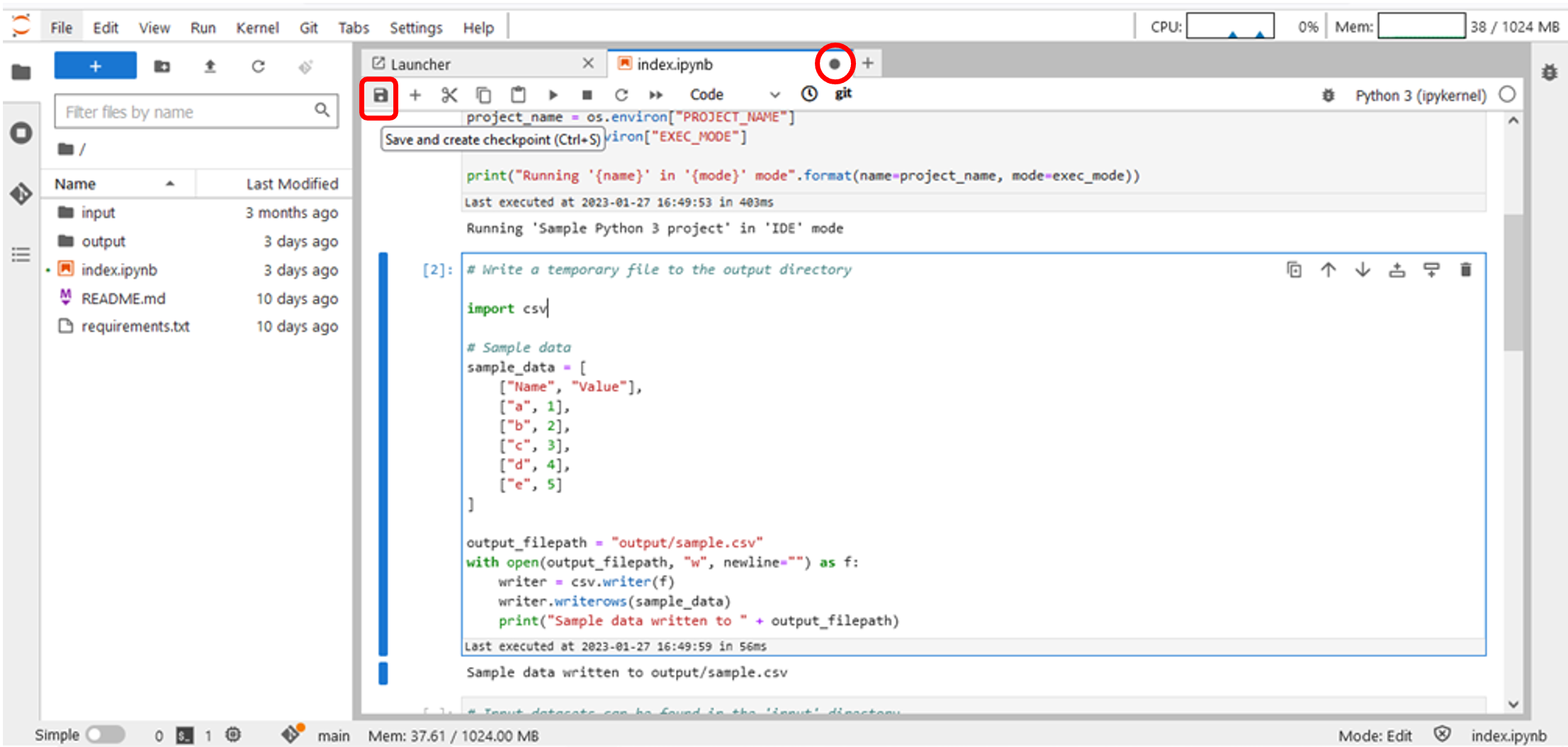
Figure 36 – File saving – Notebook bar
- In the JupyterLab TopBar, click on File->Save Notebook (Figure 37).
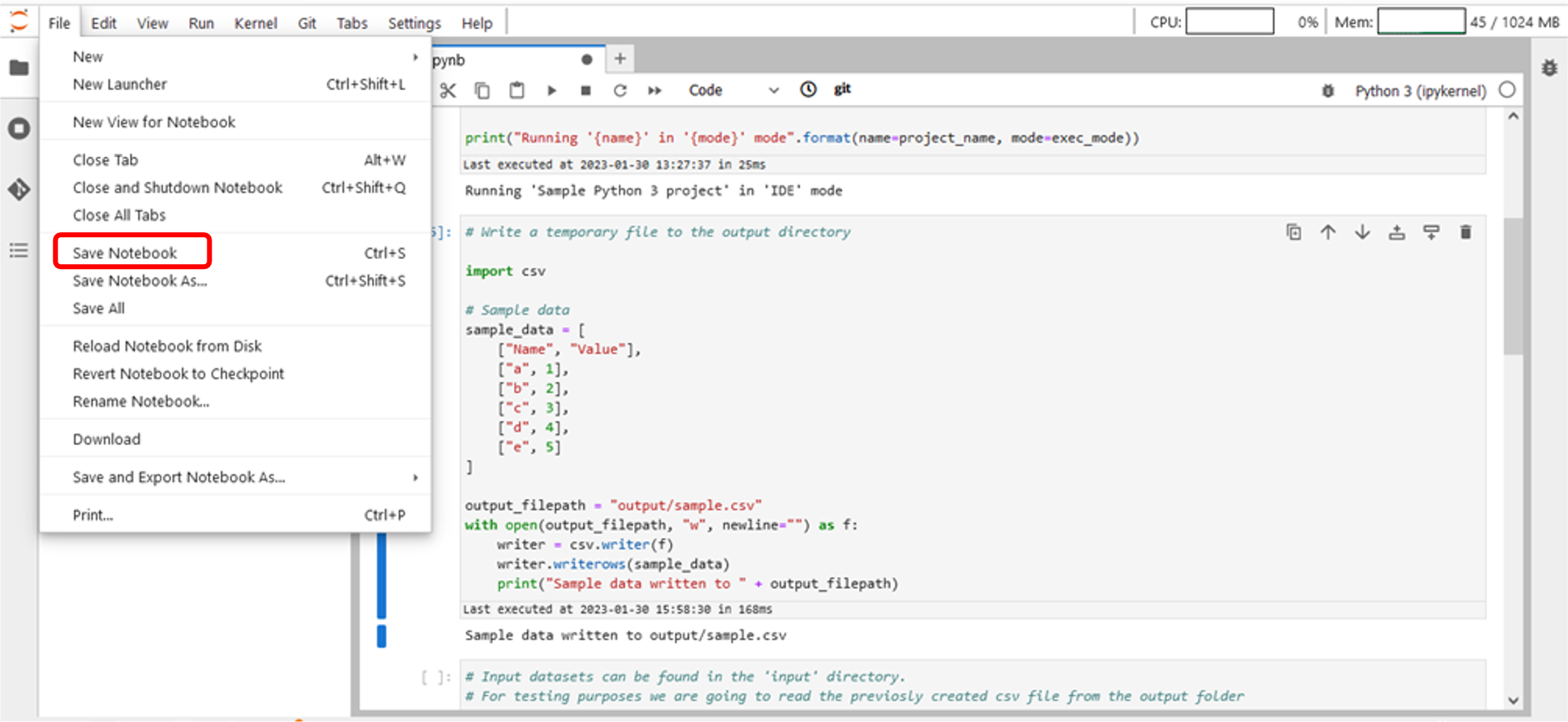
Figure 37 – File saving – TopBar Menu