3. Use cases
Aggregazione dei criteri
3.12 Update on Git
You can commit and push file changes from Git tab and from Git Menu on the Top Bar.
Git Tab
- To commit file changes open Git tab, select file(s), insert acomment and click on Commit button:
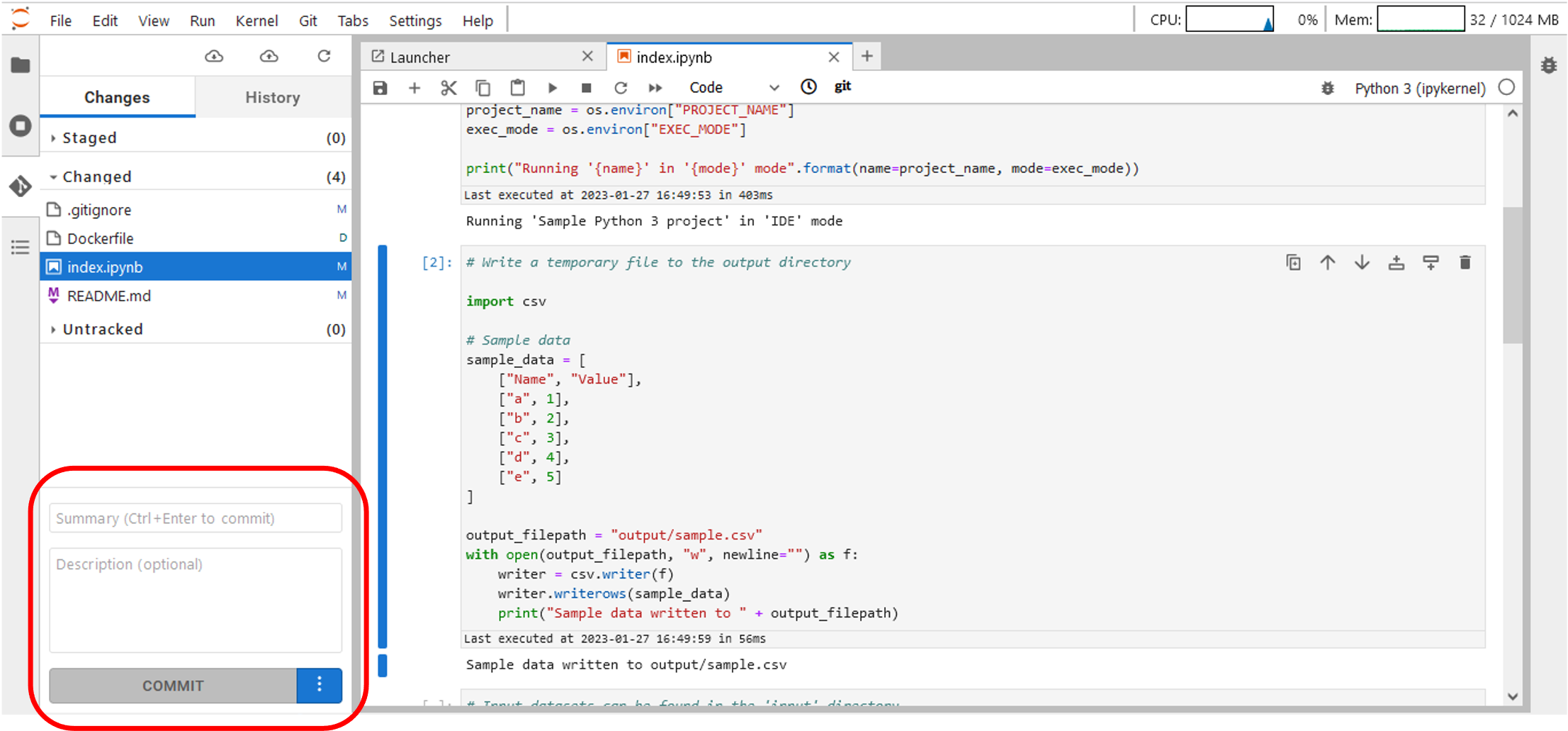
Figure 38 – Commit file changes – Git tab
- Click on Push button to push committed changes:
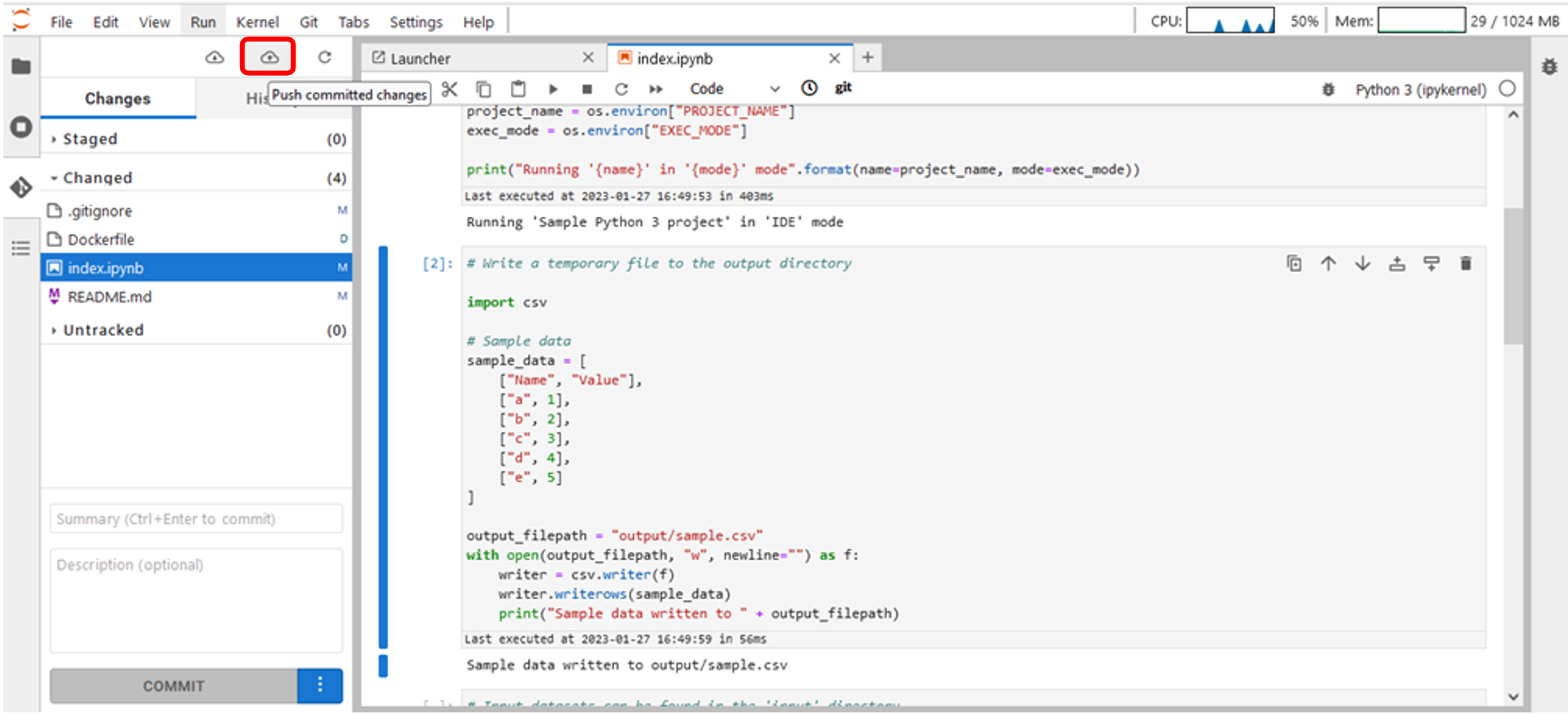
Figure 39 – Push committed changes – Git tab
Git Menu on the Top Bar
- On the JupyterLabTopBar Menu, click on Git ->Push to Remote to push file changes:
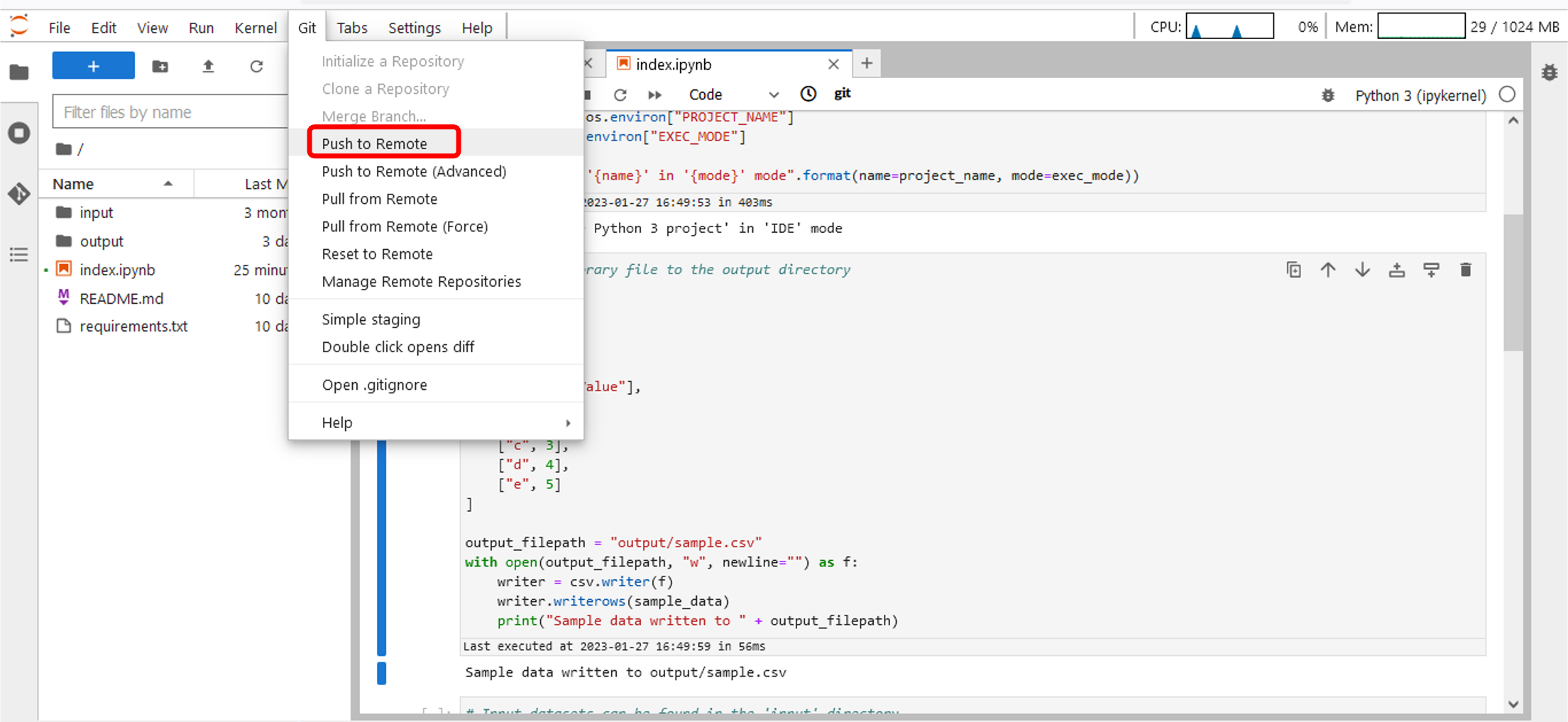
Figure 40 – Push file changes – Git menu