7. Execution details
Aggregazione dei criteri
7.3 Output
To view this section, you need to:
1. click on the appropriate service record within the List of Services
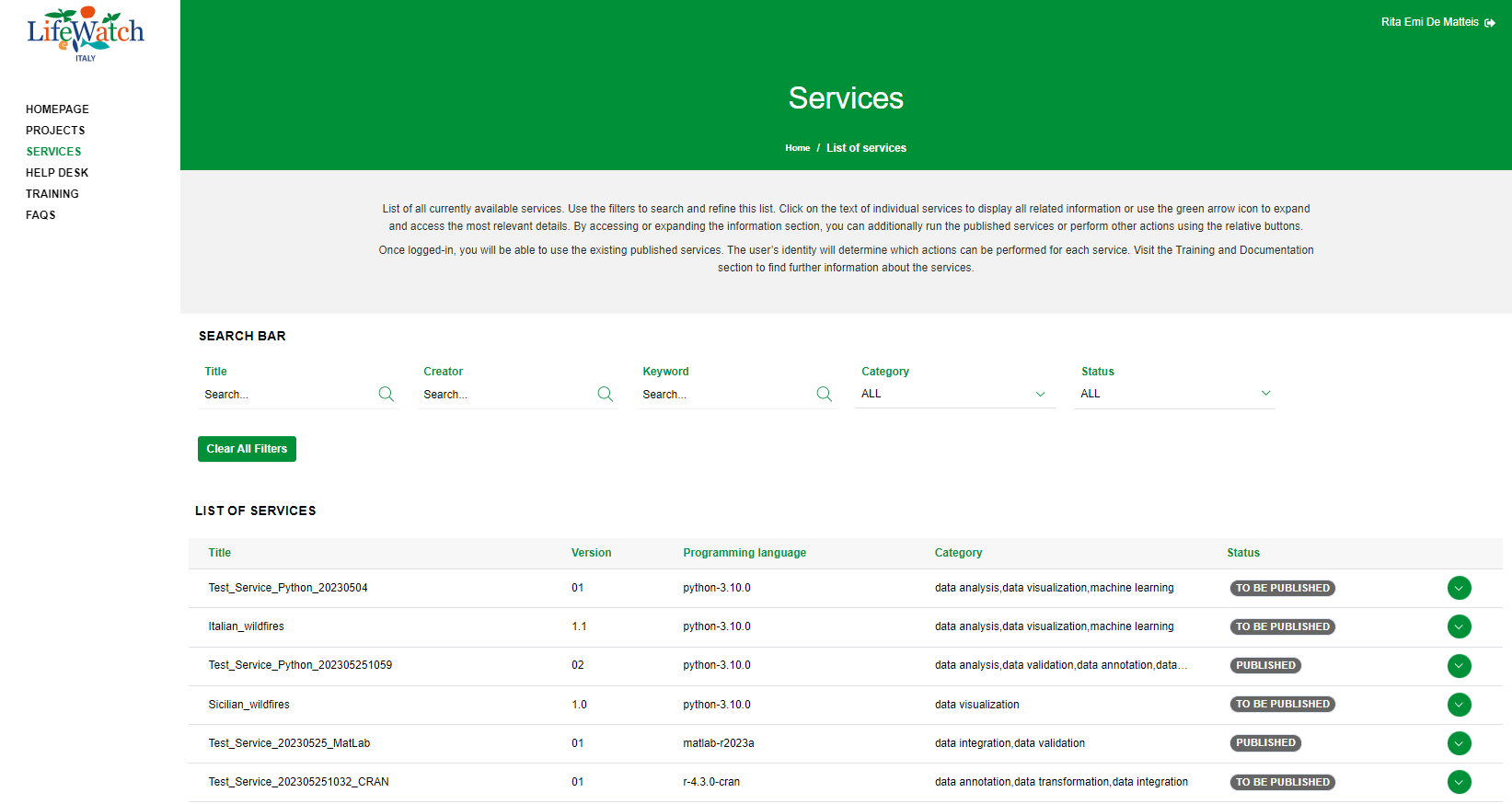
2. click on the Collapse icon to open the Execution accordion and click on the appropriate execution record
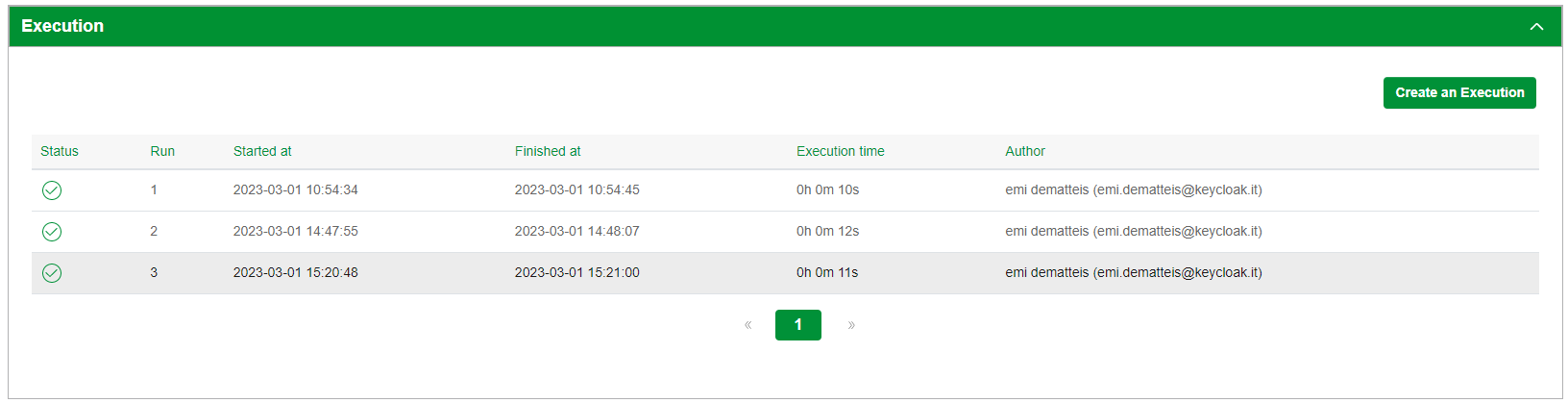
3. click on the Output accordion to see the information
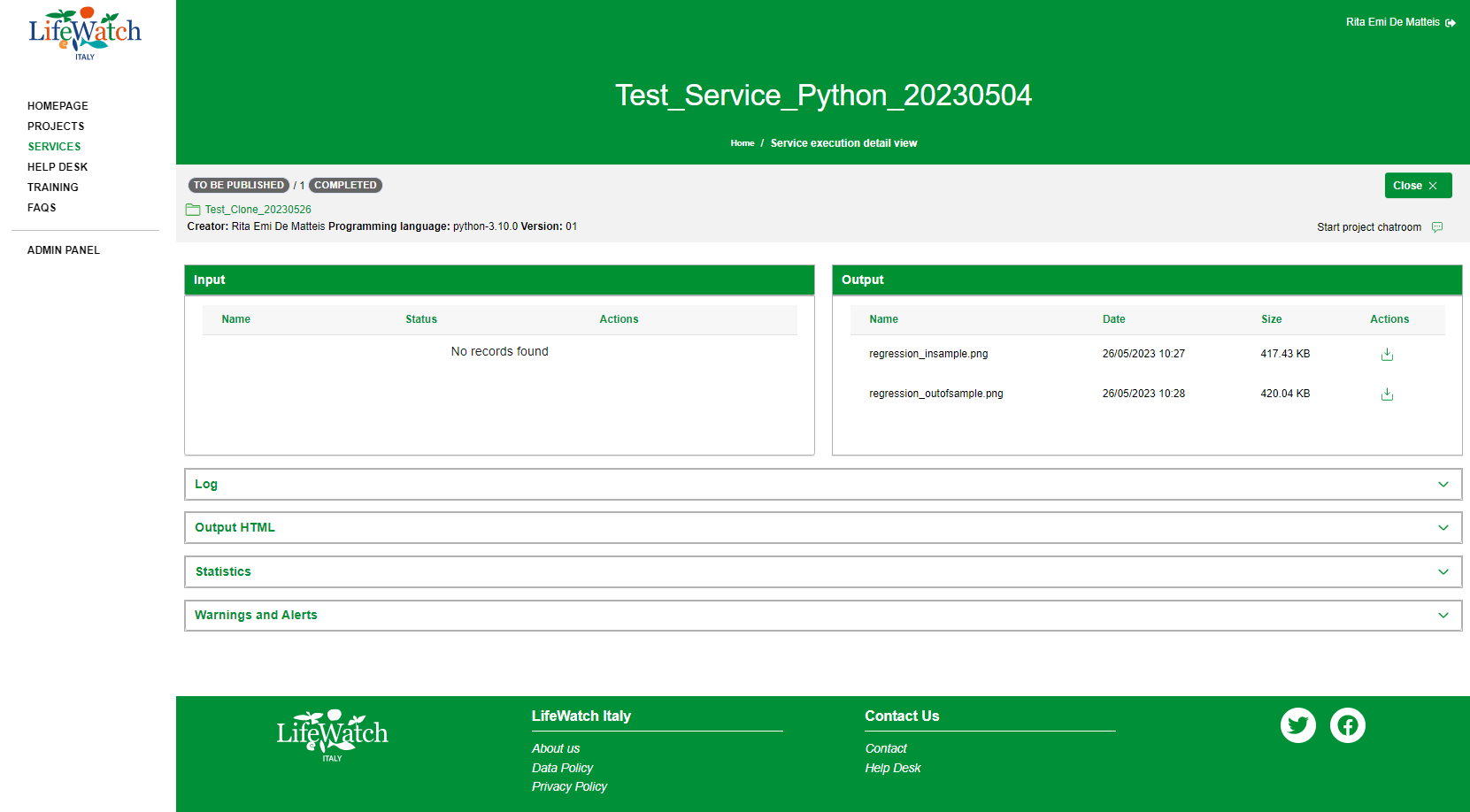
This section shows a set of information, that are:
- Name: field that contains the name of the output file
- Date: field that contains the date and time of output file creation
- Size: field that contains the size of output file created
- Actions: field that contains the download button