1. Custom JupyterLab environment
Completion requirements
1.5 Custom JupyterLab functionalities: Git
JupyterLab manages version control using Git, allowing commit/push/pull of repository files directly from the IDE.Some Git actions (i.e. branch/tag) are not allowed.
You can access to Git functionalities through different ways:
- Click on Git button in the notebook top bar (Figure 5) to display differences between Git HEAD and current version of code.
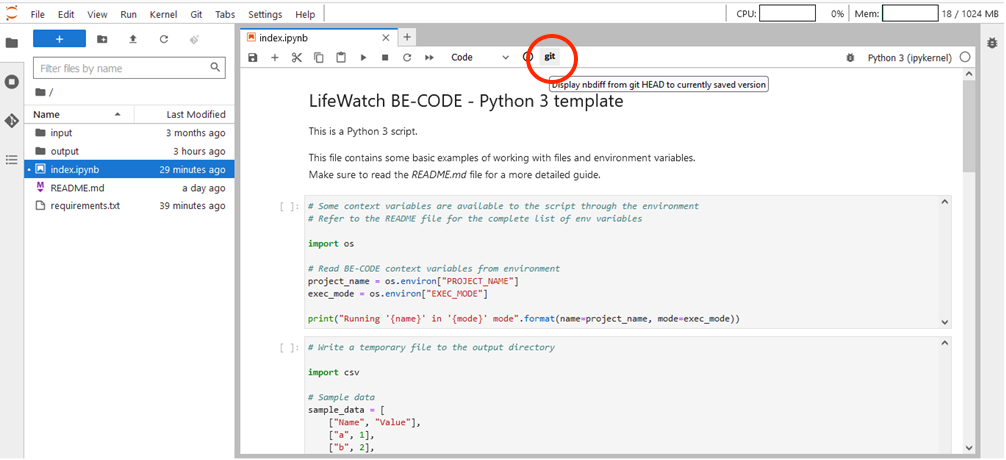
Figure 5 – Git button in notebook top bar
- Click on Git button in JupyterLab top bar (Figure 6) to access to the allowed git functionalities (i.e. Push/Pull..) and to online official Git documentation
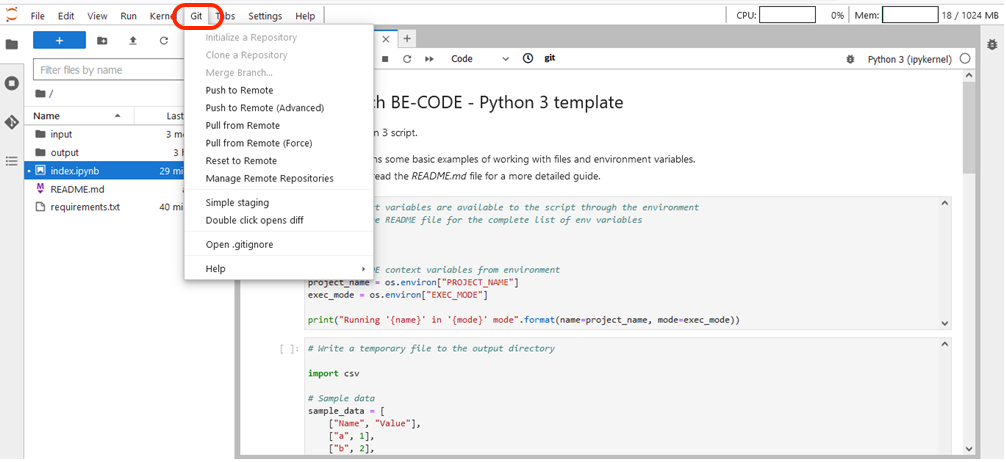
Figure 6 – Git button in JupyterLab top bar
- Click on Git icon button in the JupyterLab left bar (Figure 7) to open a Git section for changes and history management, Commit, Push and Pull operations.
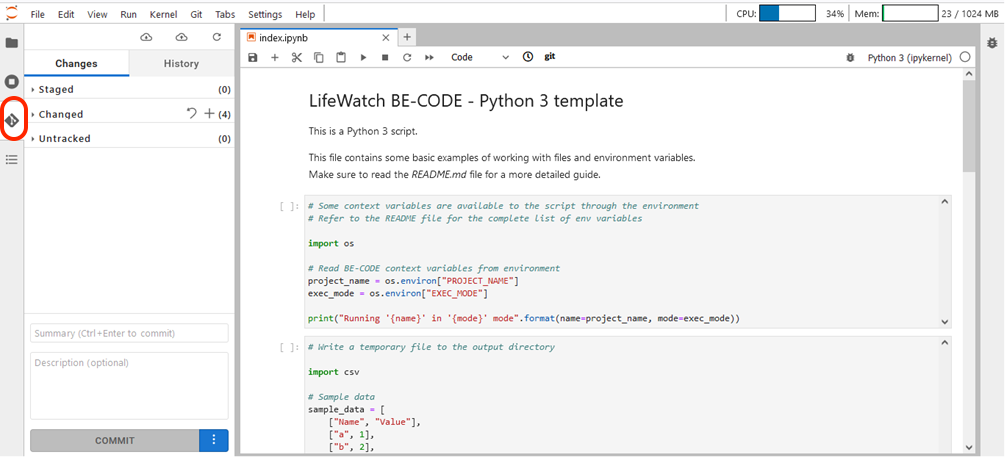
Figure 7 – Git button in JupyterLab left bar
No additional authentication credentials are required to operate on Git.